Home › Forum › Main › Suggestions, Requests & General Help › Hardware & Software Support › Overclocking PC
Overclocking PC
Overclocking PC
so can some 1 help me how to Overclocking my PC well ?? 
 Originally Posted by ikki

processor, ram, motherboard, cooling, EVERYTHING!
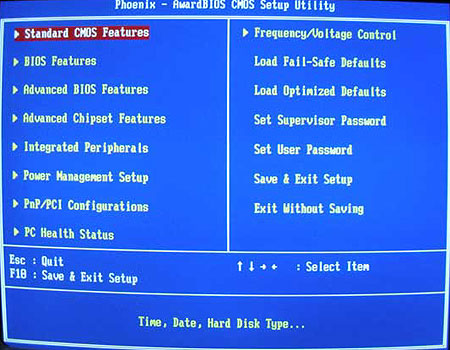
if u want to overclock processor then when your computer starts press del or i duno what to enter bios.then find a "CPU frequency and voltage" button (at least on my pc is that and its in Advanced Tab ) or if u cant find it just search every tab and other stuff till u find FSB modifier.and increase it by 10 to see if it works good.then try more and more till u find whats best for your cimputer.And bout graphic cards there are programs somewhere that help u with that.For ATI its called AtiTool just google it its free and i dunno bout nvidia.Hope his helps